Fewer tickets
Most “how do I…” questions have one right answer. Put it where customers look first.
Help center automation
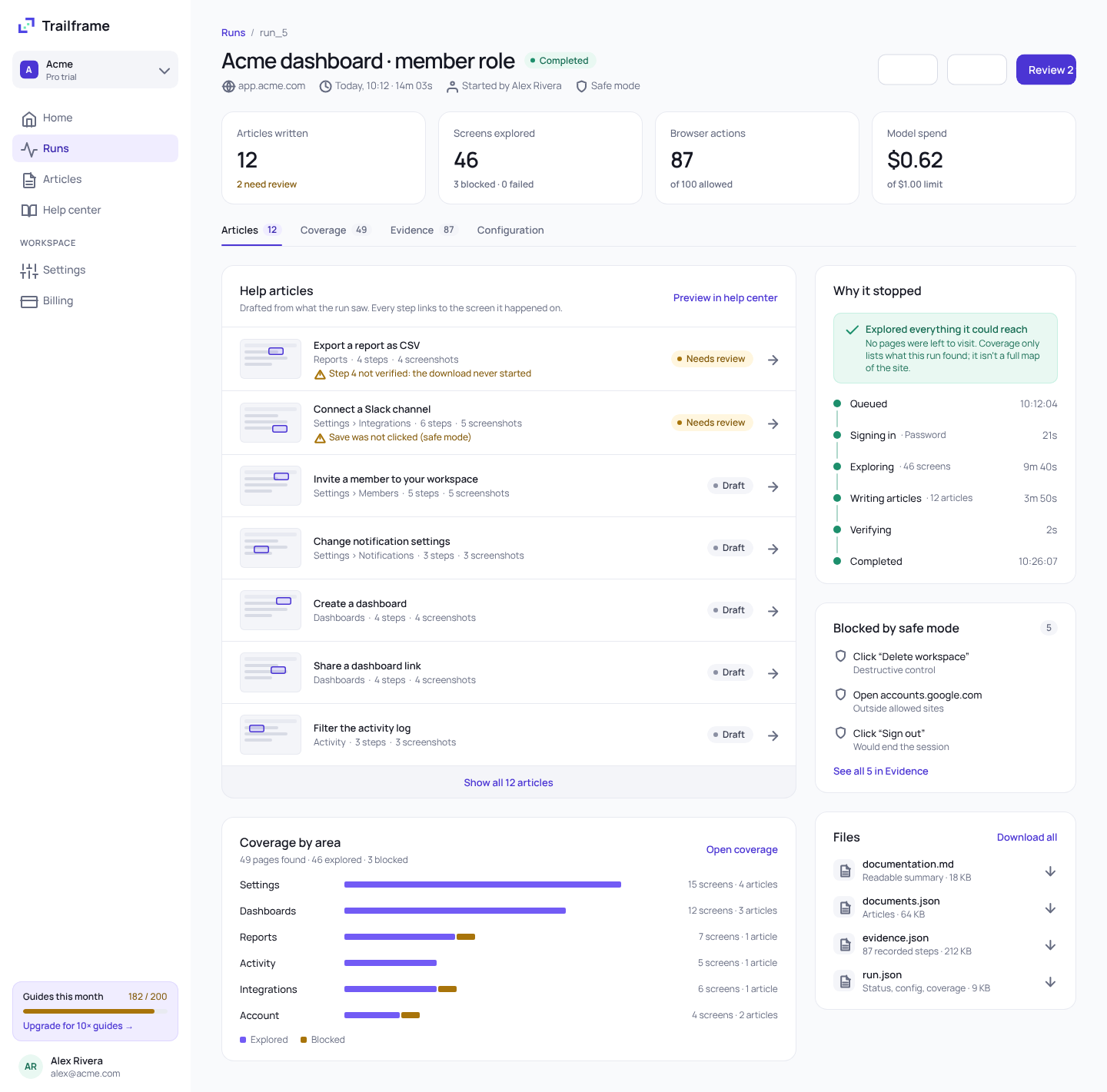
Trailframe’s agent works through your app in a real browser, drafts step‑by‑step articles with evidence for every step, and flags anything it couldn’t verify.
Free to start · No interns were harmed in the writing of these docs
Why guides matter
A good help center answers questions before they become tickets, gets new users to value faster and gives your support team its time back.
Most “how do I…” questions have one right answer. Put it where customers look first.
New users find the next step on their own instead of stalling at setup.
Public guides show up in search, and they’re what AI assistants read to answer questions about your product.
Buyers check your docs before they sign. Current guides show a product that’s cared for.
Everyone knows guides matter. The hard part is keeping them accurate. That’s what Trailframe does.
Why Trailframe
Writing help articles by hand is slow, and generic AI writes steps that don’t exist. Trailframe documents what it actually did in your app.
A renamed button quietly breaks half your articles.
With Trailframe
Re-run after each release. Only the steps that changed are rewritten.
Support writes them late at night and the backlog keeps growing.
With Trailframe
One run covers a whole app. Your team reviews instead of writing.
Chatbots invent menu names for flows they never clicked.
With Trailframe
Every step cites the screen it happened on. Gaps are flagged.
How it works
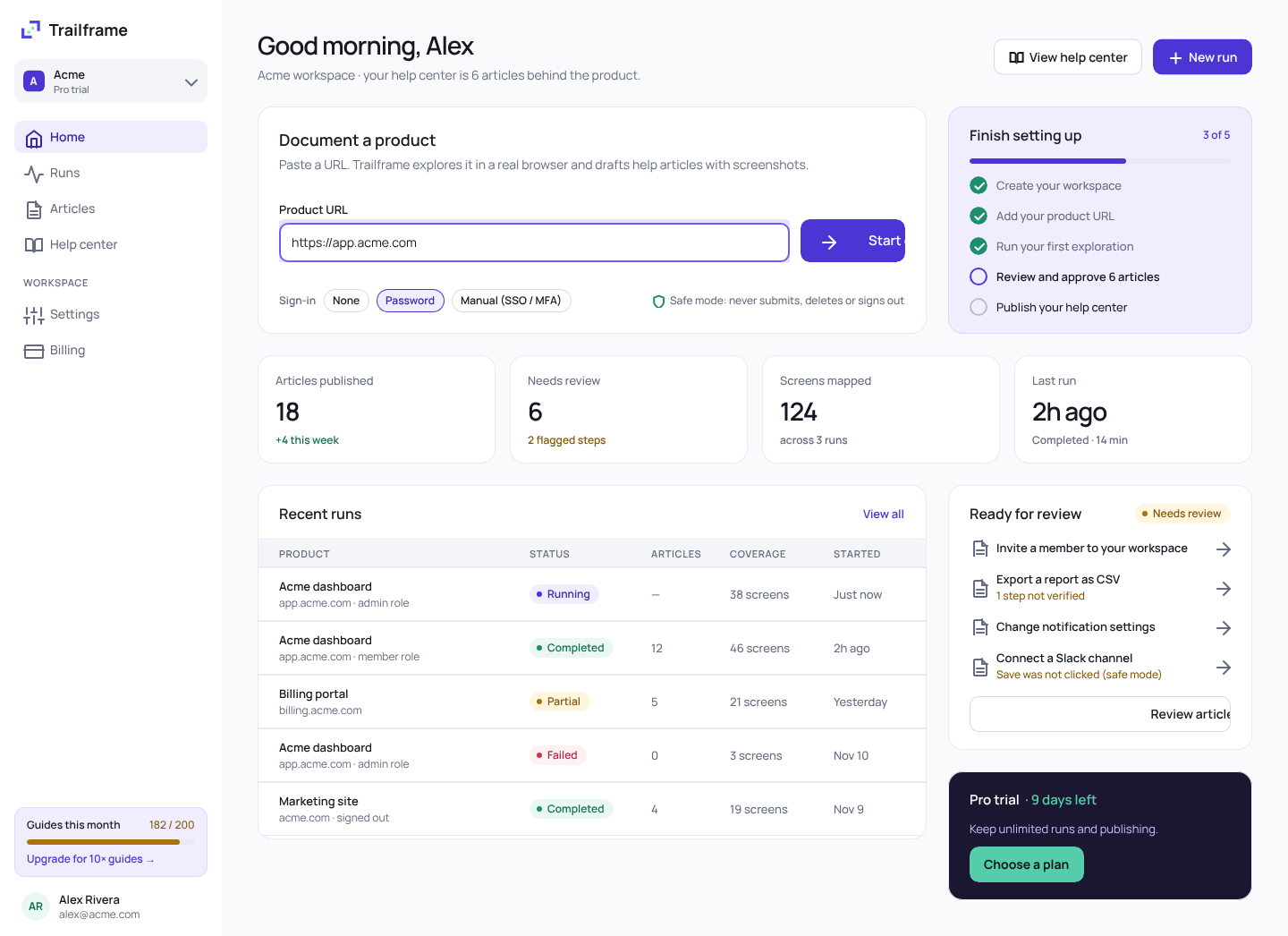
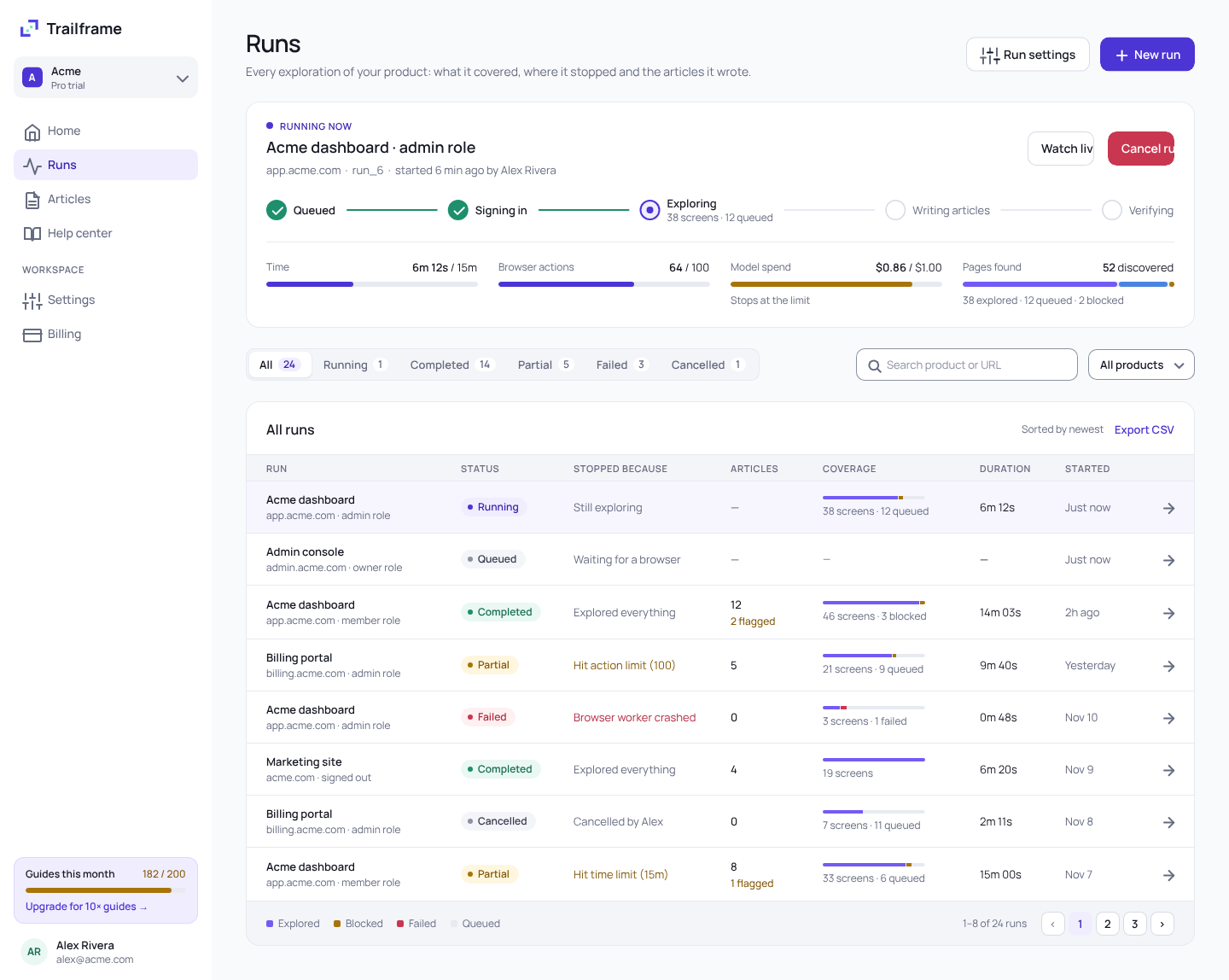
No scripts to write and no recorder to babysit. Give Trailframe a login and it does the clicking.
Evidence, not guesswork
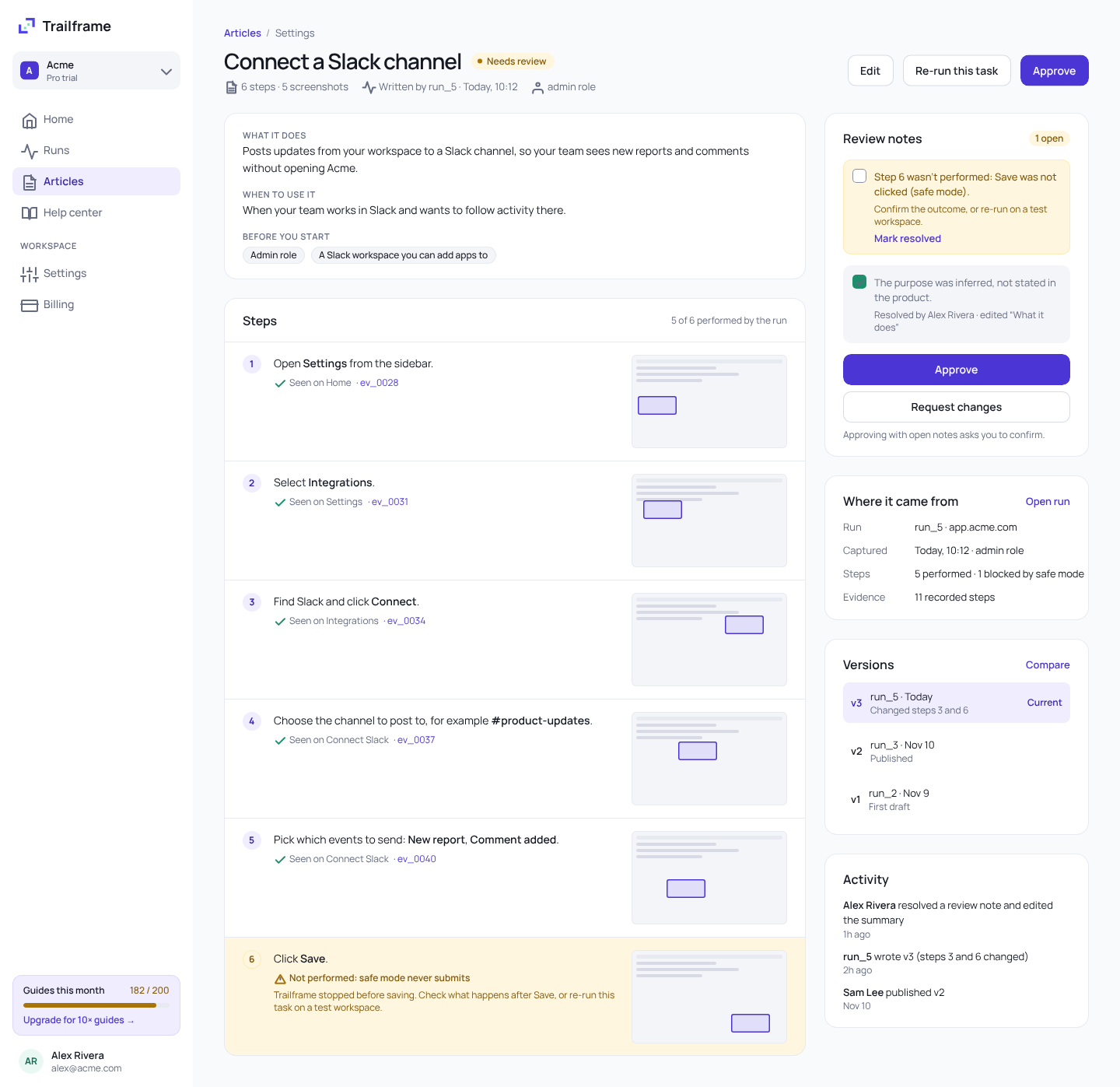
Trailframe only writes what it saw. Reviewers check each step against a recorded action and a masked screenshot, in seconds.
Safe by default
It clicks around your app like a curious new hire, minus the part where it deletes the workspace.
policy.log · run_5
Destructive controls, outside sites and uploads are blocked. Allow submissions on a test workspace when you need them.
Logins resolve in the worker from a reference. The model never sees them.
Page text is minimized and sensitive fields are masked before anything is stored.
Re-run after a release and compare versions step by step.
Gemini via Vertex AI or an API key. Switch per run.
Gemini on Vertex AI or an API key, or a deterministic rule set with no model.
Publish
Approved articles publish to a fast, searchable help center on your own domain. It updates itself after every run.
One example run, on a demo app
Pricing
Every plan includes safe mode, evidence for every step and Markdown and JSON exports.
For trying Trailframe on one app
Free
Start freeFor teams publishing a help center
200 guides / month
Start a Pro trialFor larger products and many apps
10× the guides
Talk to salesFAQ
Can’t find what you need? Our help center has the details, or talk to us.
Contact us →No. Safe mode never submits forms, deletes anything, signs out or uploads files, and every blocked action is logged. You can allow submissions on a test workspace.
No. You give Trailframe a credential reference, and the browser worker resolves it at sign-in. Page text is minimized before anything is sent to a model, and screenshots are masked.
The article says so. Steps the agent didn’t perform are flagged with a review note instead of being written as if they happened, so a reviewer can confirm them or re-run on a test workspace.
Yes. Run the CLI and worker locally, use the Docker image, or deploy the hosted service to your own Google Cloud project with the included Pulumi program.
Gemini, through Vertex AI or an API key. You can also run with a deterministic rule set and no model at all.
Re-run after a release. Each run creates a new version of an article, so you can compare versions and see which steps changed before you publish.
Point Trailframe at your app and review the first drafts this afternoon.
Free to start · Safe mode on by default